
Name-Based Case Searches
A name search only works once you pick the right Burleson County office. The District Clerk holds district civil, family, delinquent-tax, adoption, name-change, and felony-indictment cases. The County Clerk keeps Constitutional County Court, probate, and county-level records. Every justice court and municipal court keeps its own lower-court docket. Search a name in the wrong system. You may get nothing, even when a public case exists.
A district matter needs the court level and filing year. Add the case type and a public name that sets the case apart. Then call the District Clerk. You can also view the record in person. The official re:SearchTX portal may surface participating case, filing, text, and hearing records. Its coverage is spotty, though. That holds especially for criminal material.
- Decide whether the matter belongs to district, county, justice, municipal, or federal court.
- Use the narrowest public name and add the year or case type when known.
- Review the court and status before treating a similar name as a match.
- Record the cause number and ask the proper clerk for current docket details.
| Search detail | Where it helps | Use |
|---|---|---|
| Party name | Clerk or statewide search | Start narrow |
| Filing year | District records | Separates similar cases |
| Court level | All routes | Identifies the custodian |
| Date range | Official-record index | For recorded instruments |
Burleson County Custodian Check
Ask a better question first. Not "which website," but "which office holds this case?" Burleson County splits its clerks. District cases go to the District Clerk. County misdemeanors and probate matters usually land with the County Clerk. Traffic and Class C cases may sit in one of four justice courts, or in Caldwell, Somerville, or Snook Municipal Court.
The Texas trial-court overview explains how the court levels fit together, though it will not show you a docket. When you contact an office, request a docket sheet or the case events, not a vague record check.
Case Number Searches
A cause number is the strongest search key for a Burleson County court docket. It points to one case instead of a whole group of names. Local rules use that exact term. The same record may also be described through case details or case events. There is no single Burleson format shared by every court. So do not guess at punctuation. Do not assume a municipal citation follows a district pattern.
Enter the identifier exactly as the court issued it, cause number as printed. Pair it with the court, the filing year, and the case type. Caldwell gives a city-specific example. It adds a two-digit year. Somerville warns that leading zeros or letters can affect its search. Neither of those rules applies to a district case.
Burleson County State Search Layer
re:SearchTX is Texas's statewide public-access layer, tied to eFileTexas accounts. Its official quick guide sorts results into Cases, Filings, Text in Documents, and Hearings. A keyword starts the search and filters narrow it. Click a case description and its details open, while a hearing type can open hearing information where it exists.
The convenience has real limits. Texas court administrators say the statewide collection does not include every criminal case record. Accounts, purchases, and participation can change too. Treat any result as a lead. Verify an important filing, disposition, or setting with the Burleson County clerk, since a screen result is never a certified copy. The official public portal shows the statewide access point.
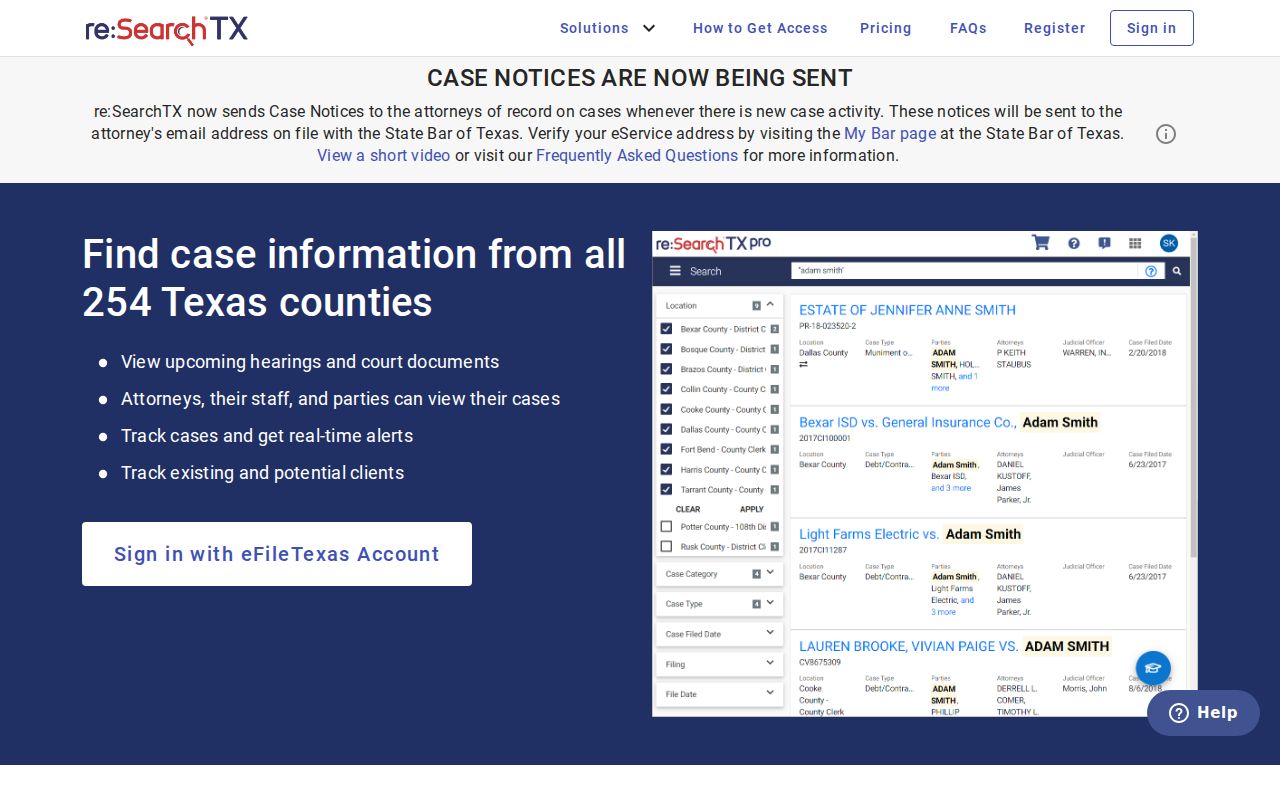
Its statewide reach does not guarantee that every Burleson County docket is online.
Case Search Results Explained
A good result gives you enough fields. That lets you tell the intended case from a similar one. The docket itself is a chronological index of activity. It may list filing dates, event labels, hearings, status, and document references. Not every petition, motion, order, or exhibit can be downloaded from it. And a hearing card never replaces direct confirmation. A date that truly matters needs it.
| Cause number | The unique identifier; copy it exactly. |
|---|---|
| Court | The district, county, justice, or municipal court. |
| Case type | Civil, family, felony, probate, traffic, or another category. |
| Filed date | The date the case entered the docket. |
| Status | An administrative label, not a full outcome. |
| Event | A filing, order, hearing, setting, or action. |
"Disposed" only says an outcome was recorded. It does not say what the outcome was. A reset means a setting moved, not that the case vanished. Read the related entry, and ask the clerk whenever a code stays unclear.
Burleson County Property Portal Trap
The County Clerk's online index covers official and property records from 1940 to the present. Its Quick Search and Advanced Search offer a term, a date range, date presets, and index-only or OCR full-text options. Those controls help you find recorded instruments. They are not court-case fields.
The portal shows no cause-number, court, judge, hearing-date, or docket-event field anywhere. A recorded judgment can appear there simply because it entered the property record. That result will not reveal the full case file. Use the official-records portal for its stated purpose, and go to the court clerk for a docket. The linked official screen shows the difference plainly.
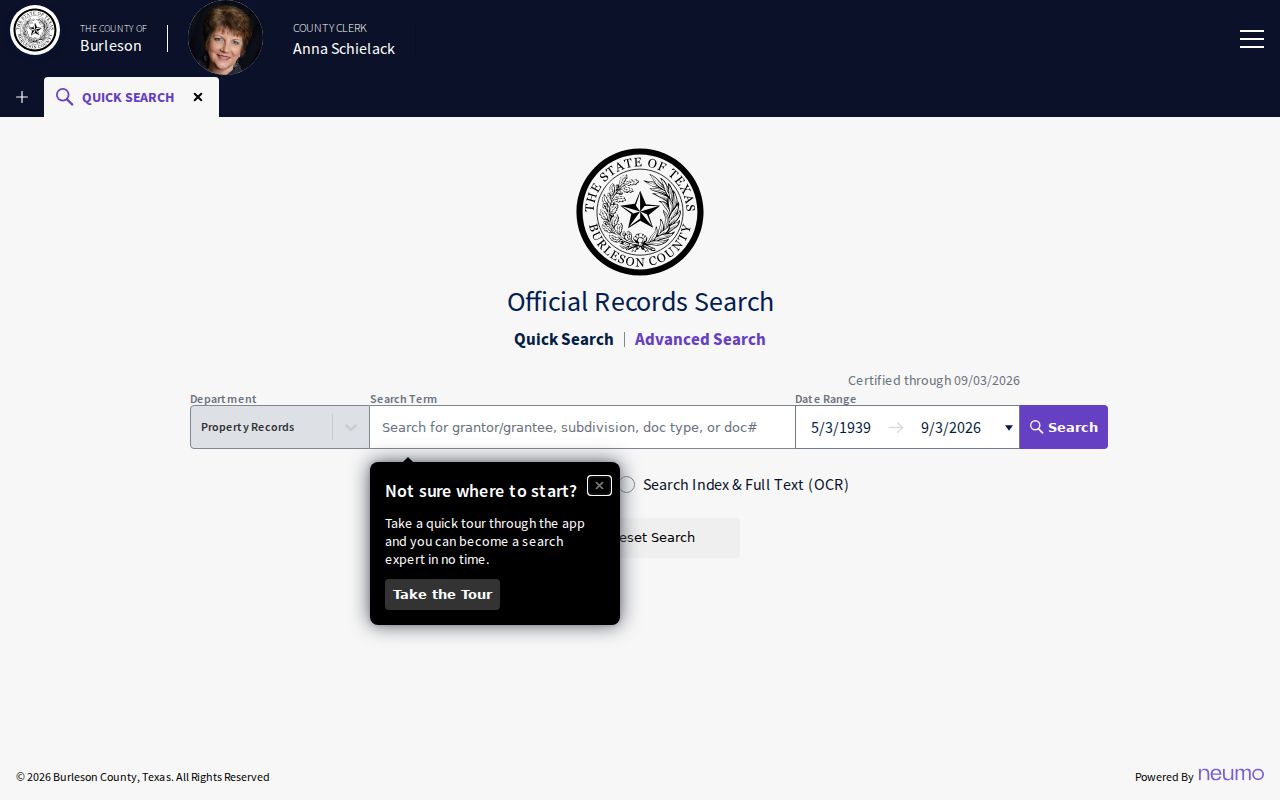
Index and OCR controls never turn a property search into a court docket search.
Two Ways to Search: County and State
Burleson County runs no county-wide viewer for all district, county, justice, and municipal cases. The local route is a set of custodian channels: the District Clerk's counter, the County Clerk, the proper precinct, or the municipal court. On top of that, re:SearchTX adds a statewide layer wherever participating information exists.
| re:SearchTX | Burleson County custodian |
|---|---|
| Participating Texas data | Originating local record |
| Case, filing, text, or hearing cards | Local inspection and copy options |
| May require account or purchase | Counter, phone, email, and mail routes |
| Not every criminal record | Best final check for a known case |
For district access, call 979-567-2336, email dfritsche@burlesoncounty.org, or visit 205 E Fox, Suite 2001, Caldwell, during 8–12 and 1–4. Any request should state the court, cause number, record, date range, format, and contact details.
Burleson Citation Search Routes
Caldwell gives you six ways to run a citation lookup. Pick from citation number plus birth date, driver-license number with state and birth date, Social Security number and birth date, license plate with state, first and last name with birth date, or a business name. Keep private identifiers on the official service alone. Never copy them into public notes.
Somerville's nCourt page takes a citation or case number. It also offers tips for identifiers that start with a zero or carry a letter. Snook has no public city portal, so email court@cityofsnook.com or call 979-272-3021 with questions. Justice-court issues go through the county's precinct directory. Certified Payments will take your money, but it shows no citation details, so treat it as a payment tool rather than a docket viewer.
Which Cases Stay Restricted
Online access to Burleson County court records has limits. Texas Rule of Judicial Administration 12 presumes access to judicial records. Yet it carves out exclusions and sets its own request procedures. Case files answer to statutes, court rules, and common-law principles, not to a simple assumption that the Texas Public Information Act opens every judicial document.
Some material simply will not appear. Sealed records, juvenile matters, adoption files, certain family or mental-health documents, and protected data may be missing or redacted. Texas Rule of Civil Procedure 21c requires sensitive data to be omitted or masked. A docket entry can tell you an event occurred. The underlying document may still stay off limits. If a result is marked sealed or confidential, ask about lawful access through the proper channels.
When Burleson Searches Fail
A blank screen, a 403 response, or a no-result message can mean several things. The cause might be technical. It could be a misspelled name, the wrong court, or a restricted file. Indexing delays and plain lack of web coverage play a part too. First check that you searched the right court level. A County Clerk property index will not hold what you seek. Then confirm the correct city or JP precinct for a citation.
District matters call for the District Clerk. That office can arrange an in-person public search or a docket sheet. County records live with the County Clerk at 100 W Buck, Suite 203, Caldwell; call 979-567-2329 or write coclerk@burlesoncounty.org. A mail request should say whether you want an ordinary or certified copy. For a hearing date, contact the court coordinator. The county calendar lists government events rather than case settings.